In today’s digital world, ensuring your website is accessible isn’t just a good idea it’s the law. Whether you’re a business owner, developer, or federal agency, understanding the accessibility standards and laws that apply to you is essential. Three of the most important frameworks are WCAG, ADA, and Section 508. While they are closely connected, they’re not the same and knowing the differences can save you time, money, and legal trouble.
This guide will walk you through the similarities and differences between WCAG (Web Content Accessibility Guidelines), ADA (Americans with Disabilities Act), and Section 508 of the Rehabilitation Act. By the end, you’ll have a clear understanding of what each means, how they affect your business, and what steps you can take to comply.
What is the Americans with Disabilities Act?
The Americans with Disabilities Act (ADA), passed in 1990, is a civil rights law that prohibits discrimination based on disability. Title III of the ADA requires public accommodations including websites to be accessible to people with disabilities. Although the ADA doesn’t explicitly outline digital accessibility requirements, U.S. courts have consistently ruled that websites must meet accessibility standards to comply.
The ADA applies to most private businesses, non-profits, and public-facing organizations, especially if they offer goods or services online. This means if you have an eCommerce store, a healthcare website, or even a small business with a booking form, you must ensure it’s usable by everyone including users with screen readers or mobility impairments.
Failure to comply can result in lawsuits, legal penalties, and reputational damage. Many organizations use WCAG standards to demonstrate ADA compliance.
What are the Web Content Accessibility Guidelines (WCAG)?
WCAG (Web Content Accessibility Guidelines) are a set of internationally recognized standards developed by the World Wide Web Consortium (W3C). They are not laws, but they are widely accepted as the technical benchmark for making digital content accessible.
WCAG is built around four principles Perceivable, Operable, Understandable, and Robust (POUR). Each principle includes specific success criteria, which are divided into three levels:
- Level A: Minimum level of accessibility
- Level AA: The most commonly used legal standard (required by ADA & Section 508)
- Level AAA: Highest level of accessibility (usually optional)
The most recent version is WCAG 2.2, which includes new criteria around keyboard navigation, focus visibility, and easier authentication processes. Meeting WCAG helps ensure your site works for users with disabilities and complies with laws like ADA and Section 508.
What is Section 508 of the Rehabilitation Act of 1973?
Section 508 is a U.S. federal law that specifically applies to government agencies and organizations that work with them. It mandates that all electronic and information technology including websites, mobile apps, PDFs, and digital tools must be accessible to people with disabilities.
Section 508 was updated in 2018 to harmonize with WCAG 2.0 Level AA. While WCAG continues to evolve (2.1 and 2.2), Section 508 still refers to WCAG 2.0 as its baseline although agencies are encouraged to adopt newer versions.
Unlike ADA, which applies more broadly, Section 508 is limited to the federal sector. However, compliance is still critical for any organization that receives federal funding, bids on government contracts, or provides services to federal customers.
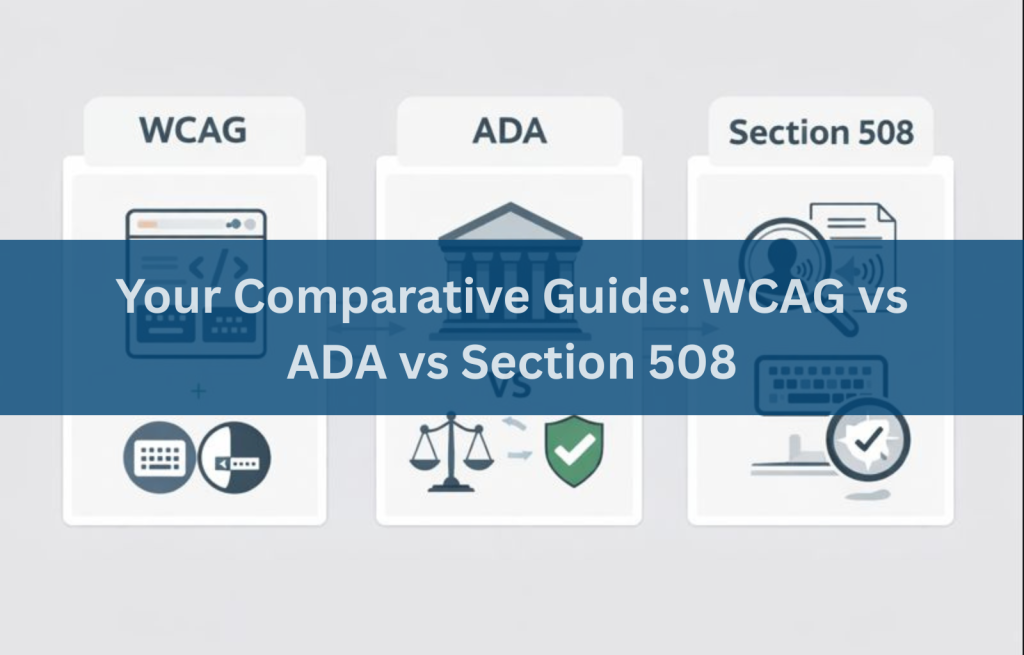
How Are the ADA, WCAG, and Section 508 Different?
Here’s a simple breakdown:
| Standard | Type | Applies To | Is It Law? | Technical Guidelines |
| ADA | Civil Rights Law | Most U.S. businesses and public websites | Yes | WCAG is used for compliance |
| WCAG | Guidelines | Global digital content creators | No (but often enforced by law) | WCAG 2.0, 2.1, 2.2 |
| Section 508 | Federal Law | U.S. federal agencies & contractors | Yes | WCAG 2.0 Level AA |
The ADA sets the expectation, WCAG provides the standard, and Section 508 enforces compliance in government contexts.
Who Does ADA, WCAG, and Section 508 Affect?
- ADA: Private businesses, public service organizations, retailers, schools, non-profits—almost anyone with a public-facing website in the U.S.
- Section 508: Federal departments, military branches, contractors, and vendors supplying services or products to the federal government.
- WCAG: Anyone building websites or digital tools. Even though it’s not legally binding, WCAG is the global benchmark for digital accessibility.
In short, if you’re online and serve users, you’re likely affected.
How Do I Become ADA, WCAG, and 508 Compliant?
Here’s a step-by-step overview:
- Run a WCAG Audit: Use accessibility experts to test your website against WCAG 2.2 standards (A and AA).
- Remediate Issues: Fix errors like missing alt text, inaccessible buttons, poor color contrast, broken forms, and missing keyboard support.
- Train Your Team: Teach your developers, designers, and content creators about accessibility best practices.
- Test With Real Users: Include users with disabilities in usability testing.
- Stay Current: Laws and standards evolve. Re-audit your site annually or after major updates.
- Create an Accessibility Statement: Let users know your commitment to inclusion and provide contact information for support.
Next Steps to Improve Your Website’s Accessibility
ADA, WCAG, and Section 508 may seem complex, but the goal is simple: make your website usable for everyone. Whether you’re a startup or a federal contractor, digital accessibility is essential.
Begin by conducting an accessibility audit, building a roadmap to remediation, and partnering with trusted WCAG compliance consultants. Accessibility Innovations is here to help you stay compliant—and inclusive.
Want to get started? Book an Accessibility Audit today
Frequently Asked Questions (FAQs)
Are ADA and WCAG the same?
No, ADA and WCAG are not the same. The ADA is a U.S. law requiring accessibility, while WCAG is a set of global technical guidelines used to measure and achieve ADA compliance online.
What are the 4 types of accessibility?
Visual, auditory, motor, and cognitive.
Is WCAG a legal requirement in the US?
WCAG itself isn’t law, but it’s widely used to meet legal requirements under ADA and Section 508.
Is ADA the same as accessibility?
ADA is a law that includes accessibility, but accessibility also covers broader concepts in UX, design, and digital content.
What are the three levels of WCAG?
Level A (basic), Level AA (standard), Level AAA (advanced).
Is WCAG compliance or conformance?
Technically, it’s conformance—but the terms are often used interchangeably.
What is accessibility in a website?
It means that everyone, including people with disabilities, can access and interact with your website.
Does WCAG apply to mobile apps?
Yes—WCAG applies to all digital interfaces, including mobile apps.