The Americans with Disabilities Act (ADA) requires businesses and organizations to provide equal access to information and services for people with disabilities. While many organizations focus on overall website design, one of the most common and frequently cited accessibility failures is missing or improper alt text.
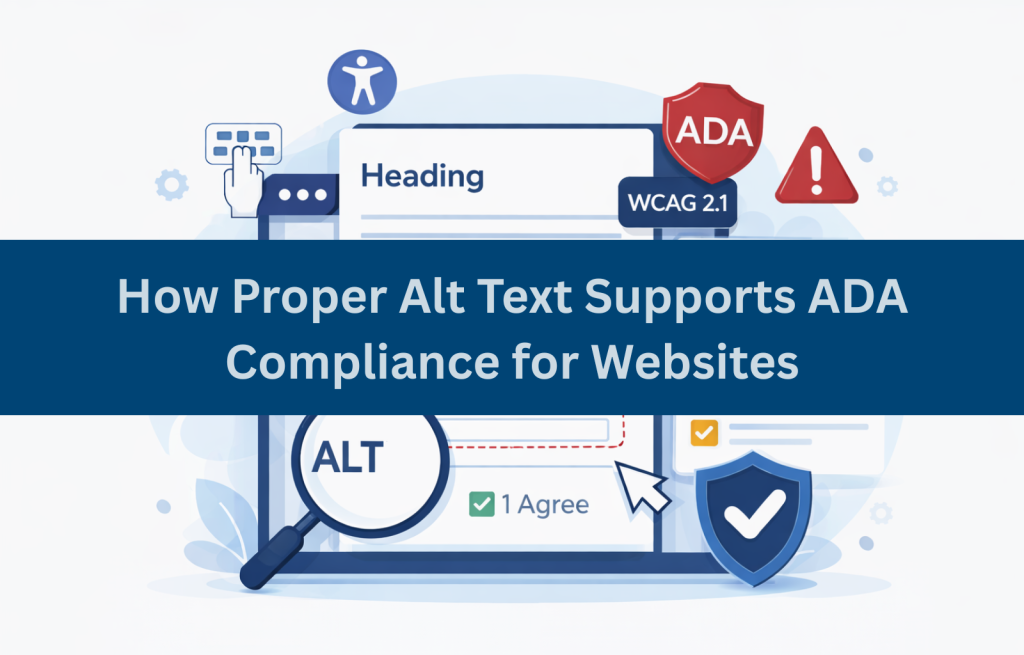
Alt text plays a critical role in making websites accessible to screen reader users and is often referenced in ADA website complaints and lawsuits. When images lack appropriate alternative text, users with disabilities may be unable to understand content, complete tasks, or access essential information. For this reason, alt text ADA compliance is considered a foundational requirement for accessible websites and an important factor in reducing legal risk.
What Is Alt Text and Why It Is Important for Accessibility
Alt text, short for alternative text, is a written description added to images in website code. It provides information about an image when the image cannot be seen. Alt text is primarily used by screen reader users who rely on spoken descriptions of images, as well as users who browse with images turned off or experience slow connections. It is also interpreted by assistive technologies that help users understand page content.
Without alt text, screen readers may announce images as “graphic” or read the image file name, providing no meaningful context. Proper alt text accessibility ensures that users understand the purpose and content of images, whether they are photos, icons, charts, or buttons. Alt text is not decorative by default, it is essential for equal access.
Understanding Alt Text Requirements Under ADA and WCAG Standards
Although the ADA does not explicitly list technical requirements, the WCAG (Web Content Accessibility Guidelines) are widely accepted as the standard used to evaluate ADA website compliance. Courts, settlements, and government guidance consistently reference WCAG when assessing accessibility.
Under WCAG Success Criterion 1.1.1 (Non-text Content), all meaningful images must have text alternatives that convey the same information or function as the image. Because ADA compliance for websites is measured against WCAG, missing alt text is considered a serious accessibility barrier and is commonly cited in accessibility lawsuits. Providing proper alt text supports equal access and demonstrates a good-faith effort toward ADA compliance.
Types of Images That Require Alt Text (And Those That Don’t)
Not every image requires descriptive alt text, but many do. Understanding this distinction is critical for compliance.
Images That Require Alt Text
- Informative images that convey content
- Photos that support understanding
- Charts, graphs, and diagrams
- Icons that communicate meaning
- Buttons and linked images
- Logos used as links
Images That Do Not Require Alt Text
- Decorative images that add no information
- Background visuals used only for styling
Decorative images should use empty alt attributes (alt=””) so screen readers skip them. This prevents unnecessary noise while preserving accessibility.
How Accessibility Audits Identify Alt Text Issues
Professional website accessibility audits routinely check for alt text violations because they are among the most common accessibility failures.
Audits typically identify issues through automated tools that flag missing alt attributes, manual reviews that evaluate alt text quality and relevance, and screen reader testing that reveals how images are announced in real use. While automated tools can detect missing alt text, they cannot determine whether descriptions are accurate or meaningful. Manual testing is essential to ensure that alt text conveys the correct information to users
Common Alt Text Mistakes That Increase ADA Complaint Risk
Many organizations unintentionally introduce alt text problems that increase the risk of accessibility complaints and lawsuits. Common issues include missing alt attributes entirely, using vague descriptions such as “image” or “photo,” and relying on file names as alt text.
Common mistakes include:
- Missing alt attributes entirely
- Using vague descriptions like “image” or “photo”
- Keyword stuffing alt text for SEO
- Ignoring icons, buttons, and linked images
- Repeating surrounding text instead of describing the image
- Using file names as alt text
These mistakes undermine screen reader accessibility and are frequently cited in ADA website complaints.
Alt Text Best Practices: Writing Effective Descriptions That Prevent Complaints
Effective alt text is clear, concise, and purposeful. The goal is to describe the image’s function or content, not its visual appearance alone.
Strong alt text focuses on what the image communicates, keeps descriptions brief (often one short sentence), and considers the surrounding context. For buttons and icons, the description should reflect the function rather than the visual design. Unnecessary phrases such as “image of” should be avoided.
For example, poor alt text might read alt="image", while a better description would be alt="Customer using a mobile app to complete a purchase". A button image should simply be described as alt="Search", and a chart might be described as alt="Bar chart showing increased website traffic after accessibility improvements".
Following these practices supports alt text ADA compliance and reduces legal exposure.
Professional Alt Text Remediation and Compliance Support
Alt text issues often exist across hundreds or thousands of images, especially on large or legacy websites. Professional accessibility support helps organizations address these issues efficiently and correctly.
Accessibility specialists:
- Review existing alt text for accuracy
- Identify missing or incorrect alt attributes
- Provide consistent writing standards
- Validate fixes using screen readers
- Monitor ongoing content updates
Alt text issues often exist across hundreds or thousands of images, particularly on large or legacy websites. Professional accessibility support helps organizations address these issues efficiently and consistently.
Accessibility specialists review existing alt text for accuracy, identify missing or incorrect attributes, establish consistent writing standards, validate fixes using screen readers, and monitor ongoing content updates. This approach ensures that alt text remains compliant as websites evolve and significantly reduces the risk of ADA compliance-related lawsuits. Many organizations rely on ADA compliance consultants to review, validate, and maintain alt text compliance across evolving digital content.
Need Help Addressing Alt Text Accessibility Issues?
Managing alt text across a growing website can be challenging. Accessibility Innovations helps organizations identify missing or ineffective alt text and ensure images meet ADA and WCAG requirements. If you need support reviewing or maintaining alt text accessibility, contact us to learn how we can help.
Frequently Asked Questions (FAQs)
Is missing alt text considered an ADA violation?
Yes. Missing alt text is a common accessibility failure and is frequently cited in ADA website complaints.
How long should alt text descriptions be?
Alt text should be concise but descriptive, usually one sentence that conveys the image’s purpose.
Are PDF images also required to have alt text for ADA compliance?
Yes. Images in PDFs must include alt text to meet ADA and Section 508 requirements.
Is alt text reviewed during professional accessibility audits?
Yes. Alt text is one of the first elements evaluated during audits.
How do screen readers announce images without alt text?
Screen readers may announce “graphic” or read the file name, providing no useful information.
How do I check if my website images have alt text?
Use automated accessibility tools, inspect HTML code, and test with screen readers.
How often should alt text be reviewed for compliance?
Alt text should be reviewed whenever new content is added and during regular accessibility audits.
Can missing alt text lead to an ADA lawsuit?
Yes. Missing alt text is one of the most commonly cited issues in accessibility-related lawsuits.