Digital accessibility is evolving globally and so are the standards that govern it. With the release of WCAG 2.2 in 2023, organizations across U.S., Europe, and beyond must adapt their digital experiences to meet growing legal, ethical, and user expectations.
Whether you’re in a public sector agency, a U.S. business seeking ADA compliance, or a European organization aligning with EN 301 549, WCAG 2.2 provides a practical path toward accessible, user-friendly, and legally compliant websites and applications.
What Is WCAG 2.2?
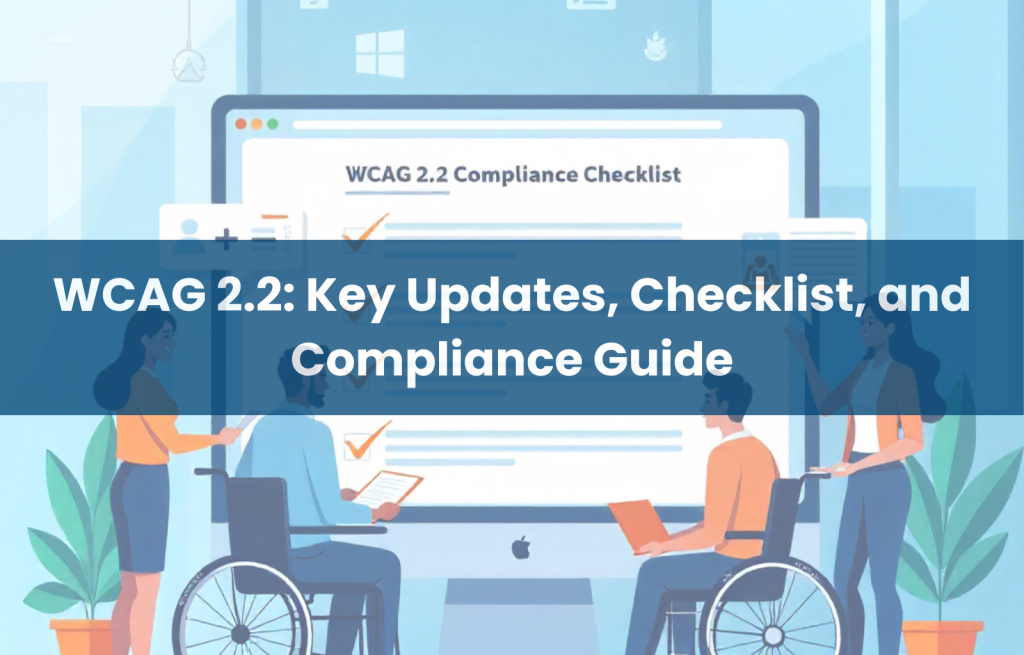
WCAG 2.2 (Web Content Accessibility Guidelines 2.2) is the latest set of global standards published by the World Wide Web Consortium (W3C). It builds upon WCAG 2.1 and introduces nine new success criteria aimed at improving web accessibility for users with cognitive, mobility, and visual impairments.
Think of WCAG as a universal blueprint for digital accessibility much like physical accessibility standards define ramps and elevators, WCAG defines the digital equivalent for websites, apps, and tools.
What’s New in WCAG 2.2?
WCAG 2.2 Success Criteria Overview
Here are the key additions:
- 2.4.11 Focus Not Obscured (Minimum): Focused elements must remain at least partially visible.
- 2.4.12 Focus Not Obscured (Enhanced): Focus indicators must be completely visible.
- 2.4.13 Focus Appearance: The focus must be visually distinct.
- 2.5.7 Dragging Movements: Must provide alternatives to drag-and-drop interactions.
- 2.5.8 Target Size (Minimum): Clickable areas must meet minimum sizing guidelines.
- 3.2.6 Consistent Help: Help options (contact info, chat, guidance) should remain consistent.
- 3.3.7 Redundant Entry: Avoid making users repeat information.
- 3.3.8 Accessible Authentication (Minimum): Login methods must be accessible without relying on memory alone.
- 3.3.9 Accessible Authentication (Enhanced): Offers advanced support for users with cognitive disabilities.
WCAG 2.1 vs. WCAG 2.2 Comparison Table
| Feature | WCAG 2.1 | WCAG 2.2 (New Additions) |
| Focus Visibility Requirements | Basic | Enhanced appearance and visibility |
| Drag Gesture Alternatives | Not required | Required under 2.5.7 |
| Minimum Touch Target Sizes | Recommended | Now required (2.5.8) |
| Eliminate Redundant Entry | Not addressed | Required under 3.3.7 |
| Authentication Accessibility | Limited | Required under 3.3.8/3.3.9 |
Why WCAG 2.2 Matters for Your Organization
1. Accessibility for All
WCAG 2.2 improves usability for people with disabilities, especially those with cognitive and motor impairments. For example, making buttons larger and avoiding repetitive forms makes life easier for people using assistive technology or mobile devices.
2. Global Legal Compliance
WCAG 2.2 supports accessibility laws in multiple regions:
- United States: WCAG standards are referenced in ADA lawsuits and federal Section 508 compliance.
- European Union: WCAG 2.2 aligns with EN 301 549, part of the European Accessibility Act.
- Other regions: Many countries in Asia, the Middle East, and South America are incorporating WCAG into national policy or public procurement standards.
3. SEO, UX, and Brand Value
Accessible websites load faster, perform better in search rankings, and improve conversion rates. Accessibility also builds brand trust, demonstrating a commitment to inclusion and social responsibility.
WCAG 2.2 Compliance Checklist
Here’s a quick-reference list for your team:
- Ensure keyboard focus indicators are clearly visible and unobstructed.
- Avoid drag-only interactions, offer click or tap alternatives.
- Make all interactive elements at least 24×24 CSS pixels.
- Keep support/contact/help options consistent across all pages.
- Don’t ask users to re-enter information unnecessarily.
- Use authentication methods that don’t rely solely on memory or CAPTCHA.
- Test forms, buttons, and menus with assistive technologies.
- Ensure compliance with WCAG 2.2 Level AA at a minimum.
How to Implement WCAG 2.2 Globally
Here are actionable steps for teams working across jurisdictions:
- Audit your digital properties using WCAG 2.2 criteria.
- Use tools like axe DevTools, WAVE, and Lighthouse for automated testing.
- Manually test with screen readers, keyboard navigation, and mobile devices.
- Train your developers and vendors on accessibility best practices.
- Update procurement and RFPs to require WCAG 2.2 compliance.
- Monitor compliance regularly, especially during content updates or redesigns.
Common Mistakes to Avoid
- Overlooking mobile users: Touch targets must work on small screens and for users with dexterity challenges.
- Relying only on automated scans: Human testing catches issues machines miss.
- Ignoring authentication design: Many sites still use memory-intensive logins.
- Forgetting older content: Legacy forms and PDFs often remain non-compliant.
- Not aligning vendor deliverables: Ensure all third-party tools meet WCAG 2.2 if you’re not under ADA.
Final Thoughts
WCAG 2.2 isn’t just a checklist, it’s a pathway to equitable digital experiences for everyone. Whether you serve citizens, customers, or clients, aligning with WCAG 2.2 helps you stay compliant, improve usability, and demonstrate leadership in accessibility.
Need help making your site WCAG 2.2 compliant across global jurisdictions? Contact Accessibility Innovations team for expert audits, training, and implementation support.
Frequently Asked Questions (FAQs)
What are WCAG 2.2 guidelines?
They’re the latest international standards for digital accessibility, building on WCAG 2.1 with nine new success criteria.
Has WCAG 2.2 been released?
Yes, WCAG 2.2 was officially released in October 2023 by the W3C.
Is WCAG 2.2 mandatory?
It depends on your region. In US, EU, and many other jurisdictions, WCAG standards are referenced in accessibility legislation. WCAG 2.2 is quickly becoming the new baseline.
What is the latest version of WCAG?
WCAG 2.2 is the latest official version. WCAG 3.0 is still in draft.
How do you pronounce WCAG?
Most people say “Wuh-cag,” though some spell it out as “W-C-A-G.”
What is WCAG 2.2 enough time?
It refers to success criteria that give users enough time to read, understand, and interact with content—especially relevant for people with cognitive or visual impairments.
Is WCAG 2.0 AA still acceptable?
It’s a minimum requirement in some regions, but WCAG 2.2 Level AA is now the best-practice standard.
Is WCAG 2.2 finalized?
Yes, it’s fully finalized and stable for implementation.
Who creates WCAG?
WCAG is developed by the World Wide Web Consortium (W3C) through its Web Accessibility Initiative (WAI), in collaboration with global accessibility experts.